
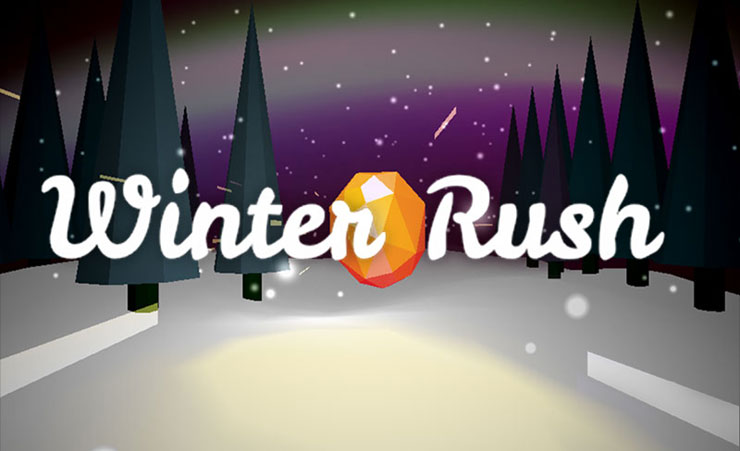
Last year I was invited to contribute to the Christmas Experiments website. This site features cutting-edge web experiments by some of the top names in interactive web development. Since WebGL now runs everywhere* I figured I would try to build a game that runs well on mobile devices.
In order to effectively use the few days I had available, I decided to to create a simple ‘endless runner’ in the style of ‘Flappy Bird’ and ‘Temple Run’. For this experiment my objective was to build a playable game that runs at close to 60FPS on mobile.
- Play Winter Rush. Use arrow keys or tap to move left and right. Use the ‘?dev’ flag to show FPS.
- View the Source Code.
This post will discuss some techniques to get WebGL content running at 60FPS on mobile. We will be using three.js in the code examples.
Why is 60 FPS Important?
The higher the frame rate, the smoother your content will be. Stutter and lag kills the brain’s flow state. For a game it is especially important that motion is smooth and controls are responsive. Computer screens typically refresh at 60Hz, so this is the maximum bound we aim for. Note that 60FPS is the ideal target, but anything above 30FPS will still look pretty good. Paul Lewis has talked extensively about making websites ‘jank free’ and there are lots of great resources here.
Here is a video of Winter Rush pushing 60FPS on an iPad 4th Gen and a Nexus 4:
To achieve the FPS target I used the following techniques:
Simplify the 3D Scene
Geometry: Simplify scene geometry by reducing the number of meshes and the vertex count of each mesh. Remember that ‘low poly’ is cool. In this game the trees are simply 2 cylinders: one for the leaves and one for the trunk. There are only 10 trees on the track that are re-positioned as the track moves.
Materials: A big part of a 3D engine cost is in calculating lighting for each face in the scene. The less lights in the scene the better. Three.js materials can be ordered from cheap to expensive like this:
- Basic. This is the cheapest material. No lighting calculations are required. You can do a lot with basic materials and image textures.
- Lambert. Gives a non-shiny appearance.
- Phong. Gives a shiny appearance. In my tests Phong proved to be significantly more expensive than Lambert. For this demo, switching Lambert materials to Phong drops the FPS from 60 to 15 on iOS.
Reuse Objects
This is probably the most important rule for performant web experiences. After object creation on initialization, no new objects should be created during the run of the game. This avoids memory thrashing which causes the browser to choke. Here is a good article on using JS object pools. In Winter Rush we reuse 3D objects (e.g. trees) by resetting their position when they go behind the camera. On every frame, we check if the object is behind camera. If so, we reset its position to be further down the track. We use a THREE.Fog to obscure the trees as they pop in.
MOVING THE TRACK
The snowy floor of the track is a flat plane mesh. We use Perlin noise to generate the height of the terrain (e.g. the Y-coordinates of the vertices). This gives a random but smoothly changing set of bumps. To give the appearance of a seamlessly moving track we use the following technique:
- Each frame we move the entire floor toward the camera by a small amount based on the speed of the player.
- We check if the floor has moved behind the camera beyond a predefined STRIP_WIDTH amount. If it has, we reset the floor back up the track by the STRIP_WIDTH. We then recalculate the terrain heights by incrementing the Perlin noise position to be equal to the STRIP_WIDTH.
See this in action in this video:
Simple Collision Detection
You can do accurate per-face collision detection in Three.js using Raycasters. Lee Stemkoski has a good example here. However this method can be expensive and must be performed for every pair of objects that may collide. In many cases you can simplify collision detection by assuming each object is a sphere and simply measuring the distance between objects.
Note that you may need to manually tweak collision distances and hitbox locations to give a more playable feel. At one point there was an issue where the player could hit objects that were off camera when strafing. The solution was to move the player hitbox out in front of the camera a little. Thanks to @neurofuzzy for the tip.
Combine Shaders
In Three.js the EffectComposer allows you to chain multiple post-processing shaders. This approach requires multiple off screen buffers to pass the result of each shader to the next. This can give bad performance on mobile. The solution is to combine your Shaders into a ‘SuperShader’. This is mostly a matter of copy and pasting the shader code and putting them in the correct sequence. For Winter Rush we combine the Vignette, Brightness/Contrast and Hue/Saturation shaders into one. Also note that some effects are just too GPU heavy for mobile, most notably blurring.
Use Clock Delta
For animation loops we should use Request Animation Frame and the clock delta for animation. This make animation speeds independent of framerate. Travel distances should depend on the actual time that has passed rather than the number of frames. This technique won’t improve your FPS but will improve player’s perception of speed if the FPS does drop.
//kick off animation
var clock = new THREE.Clock();
clock.start();
gameLoop();

function gameLoop(){
    requestAnimationFrame(gameLoop );
    var delta = clock.getDelta();
    //use delta to determine all distances travelled
    movePlayer(MOVE_SPEED * delta);
}
Test on Target Devices
Once you have picked your target devices, continually test on those devices and keep an eye on the FPS. The iOS Simulator for OS X is a great tool for debugging iOS issues on the desktop, but be aware that the simulator does not reflect the performance of the actual devices. Adobe Edge Inspect is another great tool which allows you to easily connect multiple mobile devices to a local webpage. It will automatically reload the page when the page changes and also allows you to access Android console errors.
Good JS Libraries for Mobile Dev
These are all great libs for mobile development:
- Three.js – goes without saying 🙂
- Zepto.js – a fantastic jQuery replacement that is much smaller (25k) and faster on mobile.
- Howler.js – a great little audio library that handles multiple mobile x-platform issues (such as the iOS click to play sounds issue)
- TweenLite – make tweening easy. Works well on mobile.
Which Devices Can Run WebGL?
WebGL device support is growing fast. In addition to running on all major desktop browsers, WebGL content now runs on iOS and Android devices.
However not all WebGL capable devices are born equal. WebGL is a demanding technology and older devices will have a hard time running anything but the most basic content. For example, the iPad 2 which came out in 2011 will run WebGL but it’s power is very limited. WebGL typically runs well on mobile devices built in the last 2 years. My primary mobile test devices are an iPad 4th Gen (from 2013) and a Nexus 4 (from 2012) which give a pretty good baseline.
To Do
When I get some more free time I would like to add the following to this project:
- Tilt controls on mobile . I went with tap to move on mobile since it more closly matches the desktop experience. Using the tilt accelerometer is whole different control system.
- Fancier Desktop version. Since this game is built to run well on slower devices I had to forego fancier effects and geometry. It would be nice to add a desktop version with richer graphics.
- Use the Android fullscreen API
- Move the HTML menu overlay into WebGL and perhaps add some nice shader wobble transitions.
Conclusion
Hopefully these tips will help you build performant WebGL content for mobile. Thanks for reading and let me know your high score in the comments 🙂








 Latest Tweets