
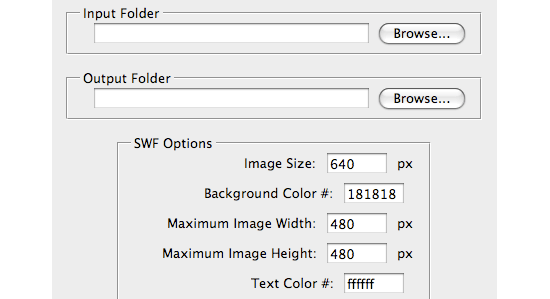
Jeff Tranberry over at Adobe just built a new set of Photoshop scripts for SimpleViewer, TiltViewer, AutoViewer and PostcardViewer. These scripts allow you to easily create Airtight galleries with Photoshop CS3 and up. Just select your image folder and gallery options to instantly create a gallery.


 Latest Tweets
Wow! What an easy way to integrate these sweet image galleries. Kudos to Jeff and Airtight for getting this extension out to the community.
This reminds me…will there be an update to the Aperture plugin?
Very Useful, many many…. thanks
Hello, I went ahead & download the January 2009 info re: New Photoshop Scripts for Airtight Viewers
have I overidden my SimpleViewer Pro?
thank you… brad
ouwwww, thank you so much brad
I installed the script. When I run it, I get this error:
Error 8000: Cannot open the file because the open options are incorrect
Line 648
-> open( fileList[i] );
The resulting swf file shows a black page only, no content.
What’s happening?
Should’ve said I installed the CS4 extension.
I tried this also for Simple Viewer and I get the exact same error message.
@Kirby – please post support questions in the forum: http://www.airtightinteractive.com/forum/
[…] CS4 has recently received those same galleries via a script plugin from Jeff Tranberry and Airtight Interactive. I love those galleries because they are Headless: They dont contain any header or footer […]
great site
Saludos. coye lo que faltaba ahora si se facilitan las cosas para subir las imagenes a las galerias.
gracias excelente trabajo.
Hey There Everyone…
I downloaded the tiltviewer…and it runs perfectly in Photoshop as an Action…. I created a great gallery….
My PROBLEM is that I can’t seem to load it to my web site….
the website is in homestead so it’s kind of an idiot proof building site….
I braught all the files that were created in photoshop for the viewer into the sites file manager….and I can put the tilt viewer onto a page but only with default images…not my own that I had created.
it plays perfectly from my harddrive when i click index…..but just can’t get it onto the website …..any help ? Pleeeeaaasssseee?
Thanks so much…..AWESOME program by the way….
Is there any way that I can save the flash data under another name then ‘autoviewer’?
I am using the photoshop script..
Thanks!
Aline
hi there
how can use this tiltviewer script for multiple folders. i try to use that with subfolders but it dosent work. i can process folders one by one, but i dont know how to combine them.
thanks
I have load de SimpleViewer-Pro so How can’t change de name of the viwer.swf and the galary.xml How can change the name of the file for created différent gallery in the same folder?
Can’t open the Photoshop Scripts site.
I think there is a proble. I didnt open this file with photoshop…