5 Interesting Web Games

The casual web game market is really heating up with some of the big money finally realizing that there is a huge audience for this type of content. At the same time there seems to be an explosion in the number of great games that are out there.

Here’s 5 interesting web games that I’ve run across recently. These games all share the following attributes:

  • Instant game play. Fast loading, no install required.
  • Intuitive controls. Web games can use the mouse, the keyboard or both. Dual mouse + keyboard controls can give a high degree of responsiveness (think Quake).
  • Uniqueness. Web games need some kind of unique hook to differentiate themselves from the myriad of other games out there.
  • Playability. Ultimately a game has to be fun to play. Playability is an elusive quality that often comes through a large amount of iterative tweaking and trial and error.

99 Bricks

99 bricks

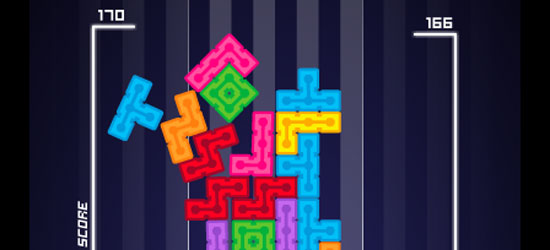
99 Bricks is an ‘anti-Tetris’ puzzler where the aim is to build the tallest tower possible using 99 bricks. Features real-time physics to determine whether your tower will remain upright. Made by the egg-heads at WeirdBeard.

Tasha’s Game

tasha's game

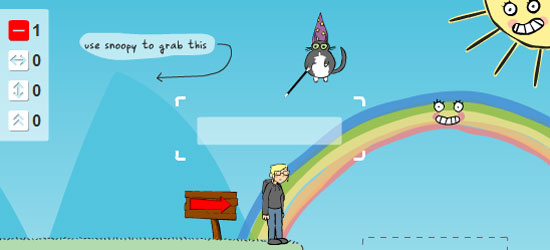
Tasha’s Game is a very friendly and playable game with really nice mouse + keyboard controls and a unique storyline. It’s a little on the easy side and well suited to a lunchtime session. Built by DoubleFine, the game studio behind Psychonauts.

Draw-Play 3

draw play

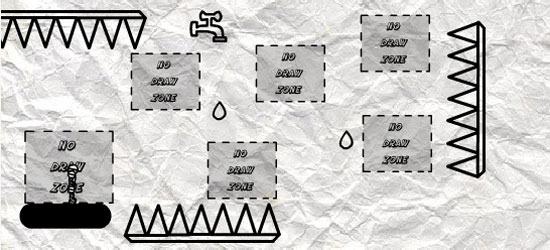
Draw-Play 3 is a unique experience that builds on the Linerider concept where you draw the play-field for your character to walk on. Built by Eggy. Level 15 was as far as I got 🙁

Robokill

robokill

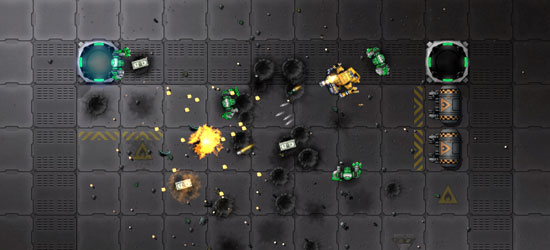
Robokill is a very slick and playable mouse + keyboard shoot-em-up in the vein of Smash TV that features very nice detailed graphics. Built by Rock Solid Arcade.

Vampire Boy

vampire boy

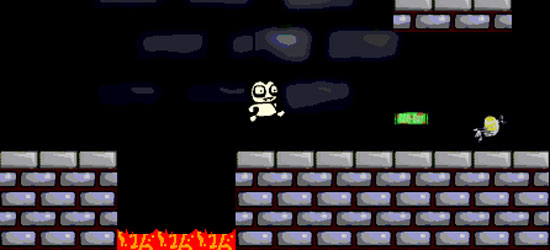
And just to prove that using the latest technology is not important, Vampire Boy is a 10 year old web game that’s as fun now as when it first came out. Beautifully responsive controls and attention to detail make this a joy to play. Built by Benjamin Pitt of RobotDuck.

Let me know in the comments if you know of some other cool games that deserve a link.

A Hairy Hello

hairy hello

Seems like hair is all the rage these days. Suitably inspired, I decided to build some animated hairy text.

The basis for the code comes from this perlin noise field code posted by lennyjpg. The text shape and colors comes from a loaded PNG. Each particle gets it’s color by sampling a random pixel in the image. Particle movements are controlled by perlin noise and each particle draws a trail as it moves.


Hairy Hello from felixturner on Vimeo.

Renaming the Default Output SWF with Flex Builder 3

If you want to change the default filename of the output SWF that Flex Builder generates, you can use the -output compiler option [Project Properties-> ActionScript Compiler -> Additional compiler arguments]. Note that relative paths don’t work, so you need to enter a full absolute path to the SWF:

-output=C:\dev\project\bin-debug\myname.swf

See the full list of Flex Builder 3 additional compiler options here.

Building 3D Flash Sites that Work

It seems like every other site on FWA is using 3D Flash these days. 3D effects are great for adding an element of surprise to a website, since it’s still a relatively new technique. I’ve been building 3D engines since the Director 5 days, so it’s great to see 3D finally hitting the mainstream.

In this post I will describe some of the technical constraints to be aware of when building 3D Flash sites, then I will give examples of recent sites that are doing 3D right.

I’m a big believer in designing within technical constraints. Working with the technology rather than fighting it. Some of the most beautiful design is done in static black and white. Embracing constraints can actually inspire designers and lead to innovative solutions.

3D FLASH CONSTRAINTS

Responsiveness

With 3D sites its important to keep the frame rate up (at least 20 fps). Otherwise your animations are going to be jittery and responsiveness is going to suffer. The simplest way to increase frame rate is to make the active 3D area smaller (in pixel size). Other options to increase performance are:

  • Reduce the number of 3D objects
  • Use 3D panels with bitmap textures over 3D models
  • Use 2D sprites over 3D objects
  • Use flat color textures over bitmap textures
  • Use non-precise bitmap textures over precise bitmap textures

Interaction

If you go to the trouble of using a 3D engine you need to make it interactive. Playing canned animations on button click does not provide any advantage over a pre-rendered video animation that may be cheaper to produce and may look better (see an example here). One way to provide a nice immersive 3D experience is to move the camera slightly on mouse move (sometimes called ‘mouselook’). This approximates how the world looks when we move our head around. It’s also important to keep motion and camera movement simple. Too much flying around can cause confusion and even nausea 🙂

Simplicity

Complex, realistic 3D environments are beyond the ability of the current generation of Flash 3D engines. It is often better to add a few simple 3D elements to an otherwise 2D site. For example the 3D page flip (click the ‘Flash94 CMS’ button here for an example ). A great source of inspiration for this type of design is TV motion design. TV ads often use subtle 3D animations on otherwise flat layouts.

Load Time

The 3D engine itself is typically ~100k. Then you have the 3D models and textures which can be large. To avoid file bloat, use simple or programatically generated shapes and simple textures. One trick is to display some simple 3D geometry after the engine has loaded and before the rest of the models and textures are loaded.

Development Time

Building a 3D site typically takes at least twice as long as building the equivalent 2D site, depending on the complexity of the 3D elements. When building a 3D Flash site it’s important to iterate early and often. Often 3D sites can be unusable due to bad camera placement or unintuitive controls. It’s critical to get an early ‘hands on’ with the prototype in order to refine the interaction.

EXAMPLE 3D FLASH SITES THAT WORK

Eco Zoo
eco zoo

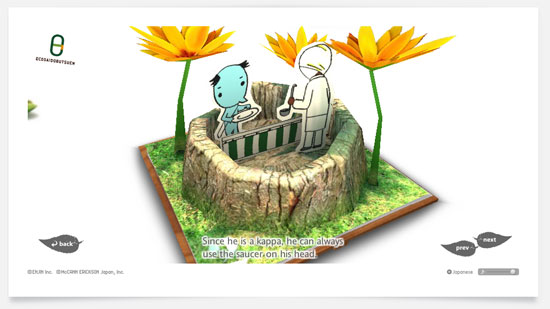
This is probably the slickest 3D flash work on the web (check out the pop-up books). Incredible attention to detail including depth-of-field blurring. Uses a fixed-size 3D area and Paper Mario style planes over true 3D models. One gripe is that since the camera movement happens on mouse drag you don’t get the 3D feeling until you start dragging around. Using a custom engine built by Roxik who is doing some incredible 3D work out of Japan.

Fifa Street 3
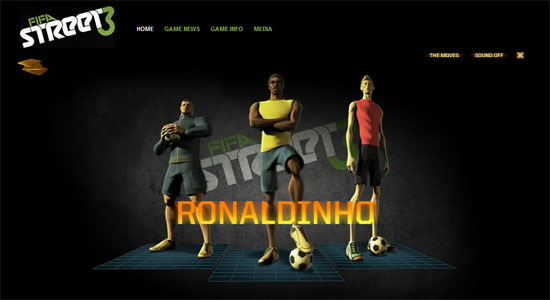
fifa

Combines simple 3D planes with pre-rendered 2D sprites. Uses a 2D overlay menu. Fixed size, centered 3D area. Subtle mouselook gives 3D feel without sacrificing usability. Built by B-Reel using Away3D.

Lumina Live
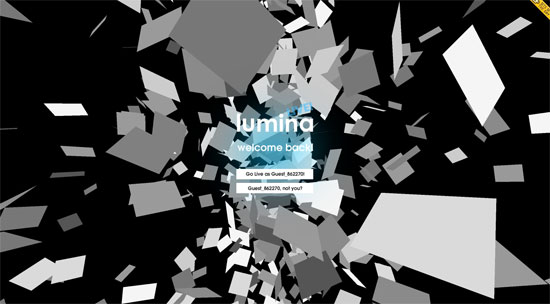
lumina

Simple but effective. Features a number of randomly positioned planes that form the pixels on a plane. This is reminiscent of one of the first papervision demos. By Kilo Studio.

Karim CZ
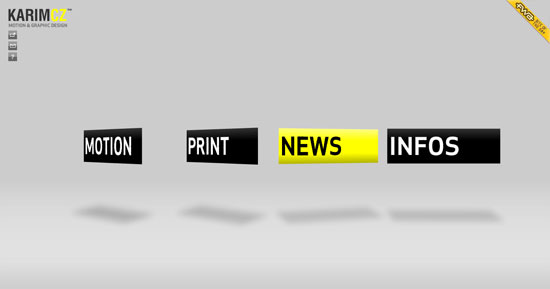
karim

Uses simple 3D transitions and flat textured planes. A nice twist on the classic portfolio site. By Phillipe Roy, using Papervision.

If you know any other examples of great usable 3D Flash sites please share in the comments.

Starbucks versus Nespresso Taste Test

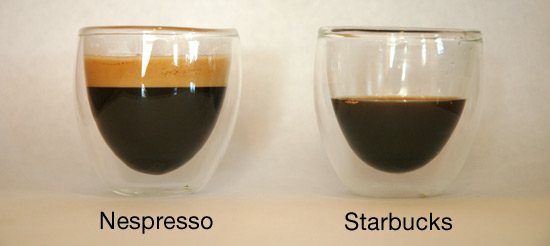
I recently got a Nespresso C100T capsule based espresso machine. I decided to compare the shots it makes with a shot from Starbucks. Here’s the results of my very non-scientific taste test:

Shots

  Nespresso Starbucks
Flavour Intense flavour, smooth. Very bitter, almost burnt.
Crema Good None
Price $0.52 $1.55

As you can see Nespresso makes a great espresso, including a nice crema. The beauty of Nespresso over traditional espresso machines is that there is almost zero maintenance. So if you like espresso based drinks this is a must buy.

Nespresso is popular in Europe, but it seems to be fairly unknown in the US. I was introduced to Nespresso by my brother who lives in Belgium and swears by it. When I found a Nespresso machine in an Italian home I was staying in, I figured if it’s good enough for the Italians it’s good enough for me.

The big disadvantage for this system is that you can only buy your capsules from Nespresso (unless you do what this guy does). Fortunately you can order online and the capsules are shipped to you in a couple of days.

[ Note this post is not sponsored by Nespresso, but if they want to send me some free capsules I won’t complain 😉 ]

Custom Portraits by Paul Turner

portrait

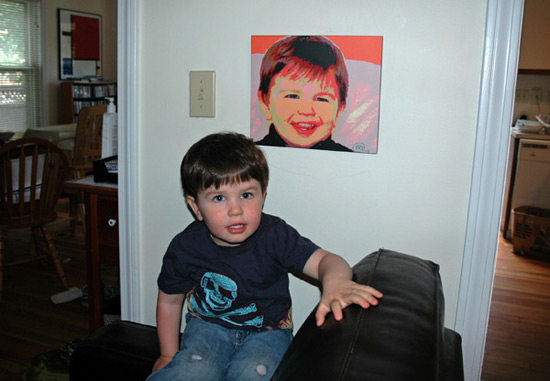
I just built a website for my dad, Paul Turner. He’s a very talented portrait painter (among other things) who is starting to sell custom portraits on the web. I sent him a digital photo of my son, Caspar, and 2 weeks later I received a very nice pop-art style portrait printed on fibreboard and ready to hang. It always get compliments from guests. So support an independent artist and get yourself a portrait!

Another talented artist in my family is Abby Stiglets, who has some of her strange and beautiful paintings on display here.