Introducing Design-Feed

I am very happy to announce that my latest project has gone live: Design-Feed.

Design-Feed grab

Design-Feed is a design feed aggregator. We hand-pick the most interesting design related RSS feeds and present them in an easy-to-browse format. This means you can get all the latest design news in one place, rather than trawling through hundreds of sites a day. Every post aggregated is also searchable by keyword.

Basically, it’s a one-stop shop to get all the latest web-design buzz. If you are familiar with MXNA, you can think of this as MXNA for designers. Take a look, and if you like it, make sure you send the link on to your designer buddies! Read more about design-feed here.

A big thanks to Stan Wiechers for building out the fantastic admin app that keeps the site ticking, and Thiago deMello Bueno for the graphic design.

Rotating 3D Marquee Experiment (with Source)

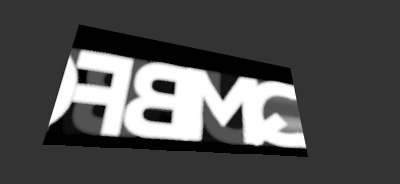
This swf shows a marquee of letters scrolling across a 3D panel that rotates according to the mouse position. In this post I thought it would be helpful to walk you through how I got to the final swf by combining a few different pieces of code. The swf is a combination of a custom text rendering effect using BitmapData, the DistortImage class, and a simple 3D engine. (All these examples require Flash 8 or higher).

MarqueeFlipper

View swf | Download source.

Initially I was experimenting with text effects using the BitmapData object. Using BitmapData can give some interesting raster effects, that you can’t create just with movieclips. With BitmapData you typically want to work on a small canvas, since calculating per pixel effects across a large area can be very CPU intensive.

The idea is to repeatedly copy a blurry letter movieclip into the bitmap using BitmapData.draw() to give the fade in effect. The fade out effect comes from copying in a 5% alpha background color every frame. After playing around for a while I came up with this:

FadeLetters

View swf | Download Source.

Once I was here I thought it would be nice to give this a perspective effect, like watching a marquee text scroll in Time Square. True perspective effects are the holy grail for Flash developers and have been hard to achieve until recently when the awesome DistortImage class was released by the creators of Sandy (based on orginal code by the genius Andre Michelle). This class will chop up any movieClip or bitmapData into multiple triangles, then skew the triangles to fit any 4 corner points. DistortImage causes image quality loss and rendering artifacts, so this technique is not useful if you want 100% image clarity. I took the bitmapData object and applied it to a DistortImage. I also modified the text effect so that the text now scrolls horizontally.
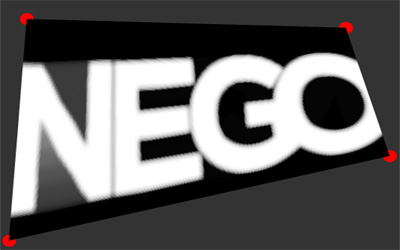

DistortLetters

View swf | Download Source.

Once here it was a reasonable leap to have the panel move in a 3d space. For this I could have used Sandy or similar, but really i just need a very simple engine to give a 3d perspective render on the 4 panel corner points. From this list of 3D flash engines, I found Andre Michelle’s Simple 3d Engine. Modifying this to render a plane gives this:
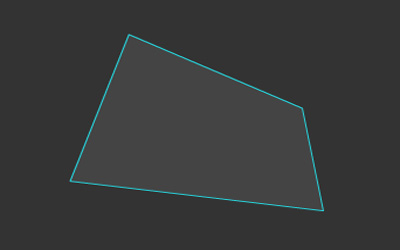

Simple3dPlane

View swf | Download Source.

Combining the 3d plane and the DistortImage gives the SWF at top. This required converting the 3D engine to an AS2 class.


Independent Games Festival Finalists Announced

Here’s the finalists for the Independent Games Festival. Most of these games have a free, downloadable version. Support your independent games developers and get downloading!

Fix for cross-domain ExternalInterface 'Unspecified error'

Making a note of this here because I don’t see it in any of the docs.

When using ExternalInterface cross-domain (i.e. the swf and JS are on different domains) you may get an ‘Unspecified error’ message in IE. Debugging in Visual Studio gives an ‘unknown exception’ in the return statement of this function:

function __flash__addCallback(instance, name) {
instance[name] = function () {
return eval(instance.CallFunction("" + __flash__argumentsToXML(arguments,0) + ""));
}
}

The fix is to add

System.security.allowDomain("*");

in your AS code. ExternalInterface requires the allowDomain to be set when HTML-SWF cross-scripting is performed even though it’s local to your browser. Thanks to my co-worker Sean Neville for this information.

(Note that you will also need to set allowScriptAccess="always" in the swf embed tags to allow cross-scripting)

Brightcove's Fullscreen Video Player

For the last year and a half I’ve been working at Brightcove, helping build out their Flash front-end. Last week I got to add fullscreen functionality to the brightcove.com video player – before youTube, google video etc :). Fullscreen mode is accessible via the full-screen button or by right click. Check out an example below.

It was fairly straight-forward to implement following the documentation. One thing to note is that keyboard input is disabled in fullscreen mode due to security restrictions, which means we had disable the video overlay menu functionality. Since fullscreen mode requires at least Flash v9.0.18, users with earlier versions are prompted to upgrade in the SWF via express install.

Coming Soon – YouTube on your TV

Wii browser

I am a huge Nintendo fanboy, and I’m very excited about the upcoming Wii console.

One thing that is going to be pretty revolutionary about the Wii is the fact that it includes a free, fully-featured web browser. This means for $250 you get instant-on web access on your TV. This is something that the XBox can’t deliver for fear of cutting into Microsoft’s PC market.

Opera is building a version of their browser specifically for the Wii that includes Flash support and a smooth zooming feature. Also, the Wii controller is perfectly suited to work with mouse based interfaces (assuming you have a steady hand). Check out the browser in action.

The big unknown at the moment is – how do you type in the URLs? Presumably there will be an onscreen keyboard – I’m not sure how easy it will be to type laser-pointer style. There is speculation that either Nintendo will sell a keyboard add-on, or you will be able to plug in a standard PC keyboard via the Wii’s USB ports.

Another sweet feature is the Wii’s Virtual Console. This will be able to load up classic games from the NES, SNES, Nintendo 64, Sega Genesis, MSX, Turbografx 16 and Commodore 64. Bring it on!